![Adcore-_White_Logo.png]](https://help.adcore.com/hs-fs/hubfs/Adcore-_White_Logo.png?height=28&name=Adcore-_White_Logo.png)
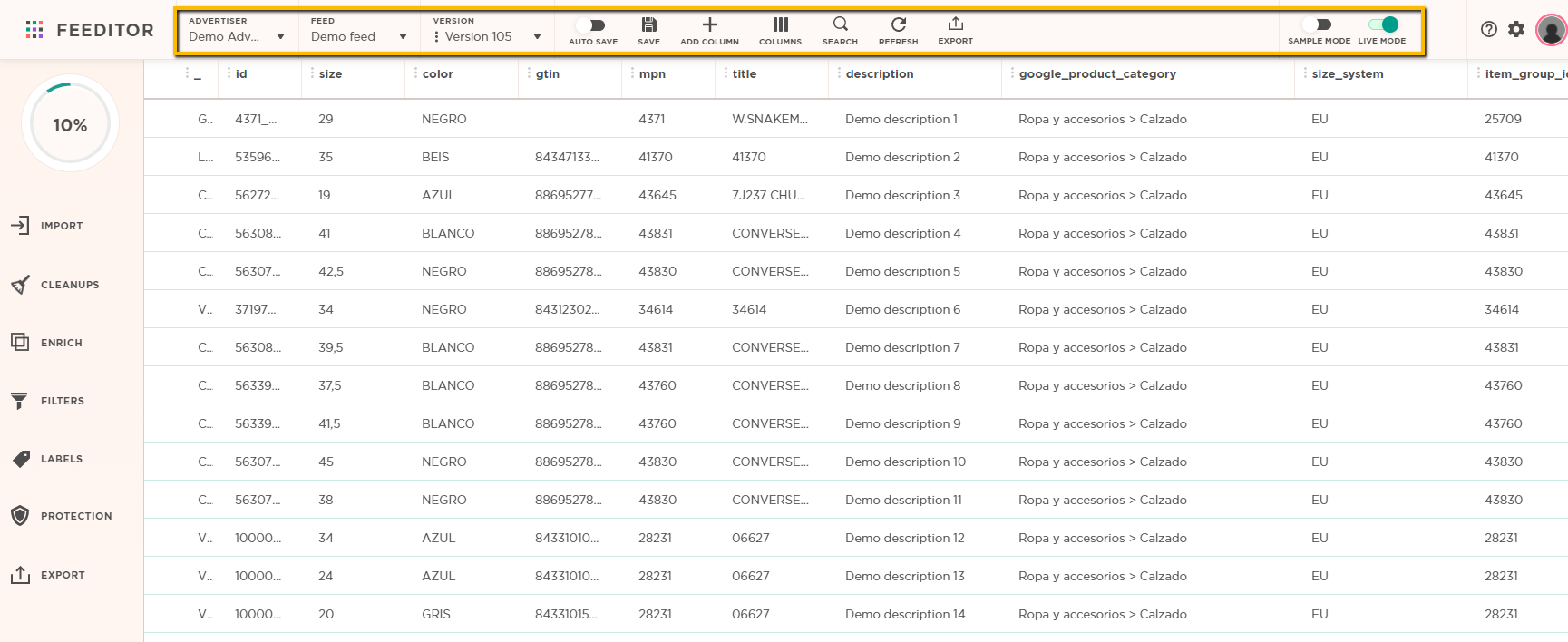
Advertiser: Choose the advertiser to work on
Feed: Choose the feed to work on
Version: Choose the version to work on
Auto save: automatically save all the changes in the feed version
Save: manually save the changes in the feed version
Add column: Add a custom label to your feed version
Columns: Enables you to change a columns placement in the feed and hide/unhide columns
Search: Search for an item (or other values) in the feed
Refresh: Refresh the feed cache
Export: Publish the feed version to different channels
Sample mode: Display only 50 random rows from the entire feed.
Live mode: Filters/actions will be applied in real-time for all items.
*when Live mode is off, the Execute button will apply the actions/filters for all items in the feed.