![Adcore-_White_Logo.png]](https://help.adcore.com/hs-fs/hubfs/Adcore-_White_Logo.png?height=28&name=Adcore-_White_Logo.png)
Step 1: On the left toolbar click on Enrich, choose Google product category and click the right arrow to open Google product category settings.
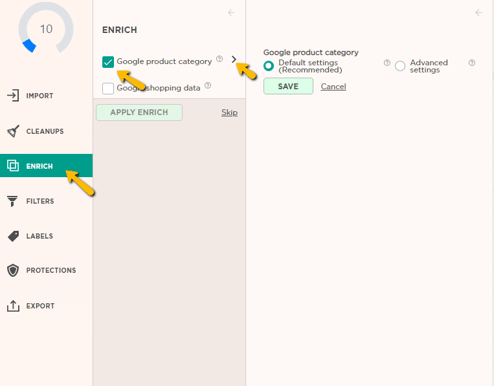
Step 2: choose between Default Settings and Advanced Settings:
Default Settings:
Categorize based on the title (+description columns).
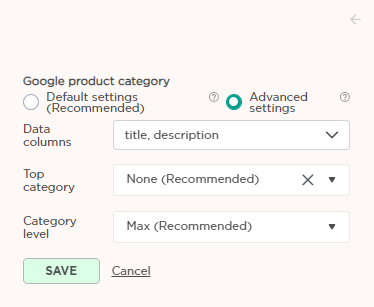
Advanced Settings:
Data Columns: Which columns to use for the data to predict categories
Top Category: Select if the entire feed has just one base category, e.g. Health & Beauty.
Category level: How many category levels will be included. e.g. if 2 is selected: Apparel & Accessories > Jewelry
Step 3: Click "Save" > click Apply Enrich
Now a new column named "Google Product Category" is added to your feed view.
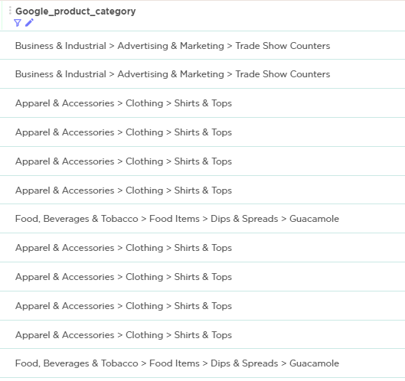
* Note that this feature works optimally only for feeds in English.
How to change the order of the columns? click here (Drag & Drop)
Don't forget to save the version!