![Adcore-_White_Logo.png]](https://help.adcore.com/hs-fs/hubfs/Adcore-_White_Logo.png?height=28&name=Adcore-_White_Logo.png)
To clean symbols from the Title and Description columns, go to the left toolbar:
choose Cleanups > Clear HTML > Apply Cleanup.
If you'd like to apply the cleanup on another column in the feed, do the following:
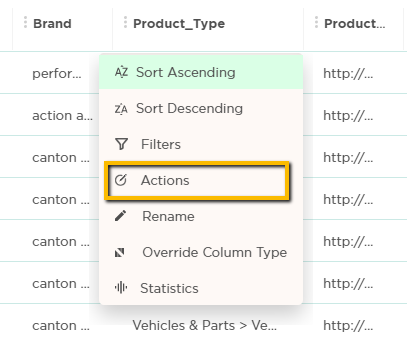
In the specific column containing the symbols, open the Actions from the drill-down menu:
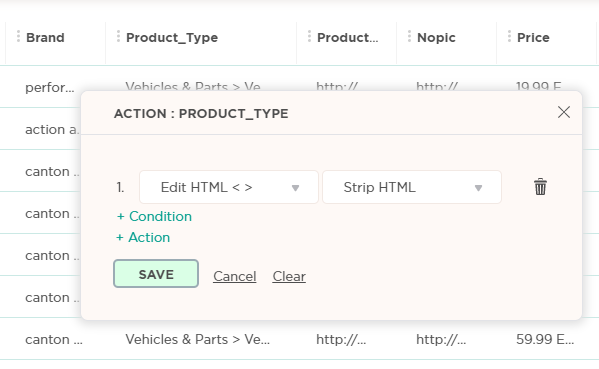
Select an action of Edit HTML > Strip HTML:
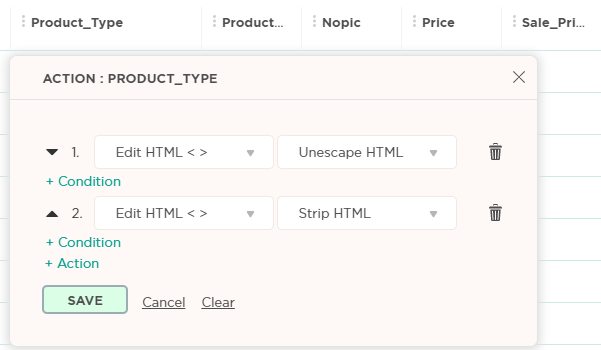
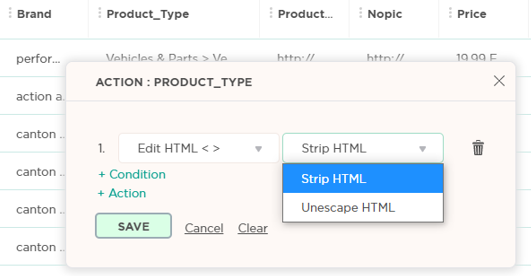
In case your feed contains JavaScript symbols, use first the action of Unescape HTML:
Now you can add another action of Strip HTML > Save: