![Adcore-_White_Logo.png]](https://help.adcore.com/hs-fs/hubfs/Adcore-_White_Logo.png?height=28&name=Adcore-_White_Logo.png)
The Efficiency section is split into 3 sections
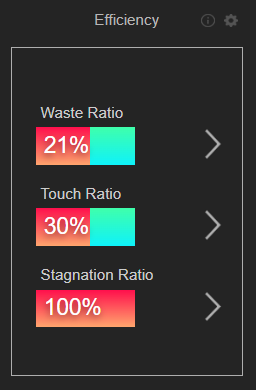
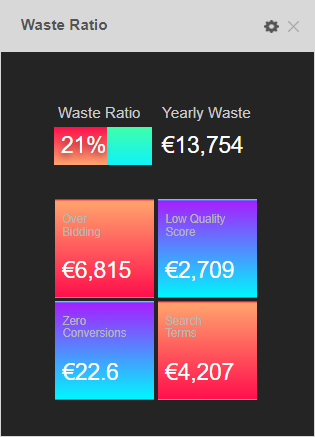
1. Waste Ratio - showcases the "Yearly Waste" for:
- Over Bidding - High CPA Keywords (higher by at least 10%)
- Low Quality Score - We are paying more per click for Keywords with a quality score of under 5.
- Zero conversions - The cost of Keywords that are not converting for us.
- Search Terms - The cost of Search Terms that are not converting for us.
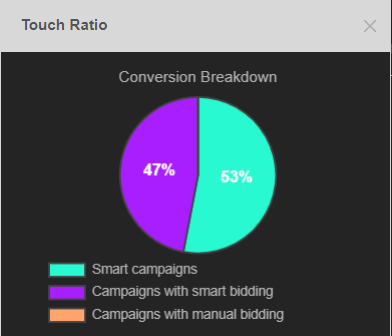
2. Touch Ratio - Displays the conversions breakdown per campaign type.
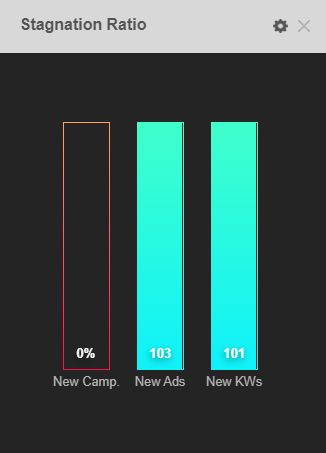
3. Stagnation Ratio - Make sure that you add new campaign, ads and Keywords to the account (if relevant).
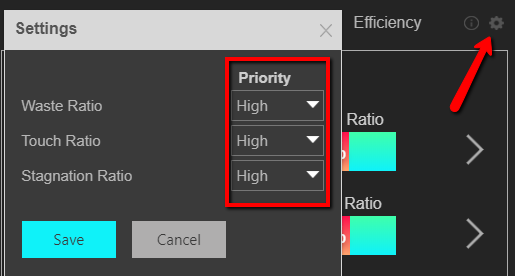
NOTE: You can modify the priority of each section according to its relevance to the account by clicking the settings icon. After adjusting priority, click "save" and the dashboard will re-calculate the data presented